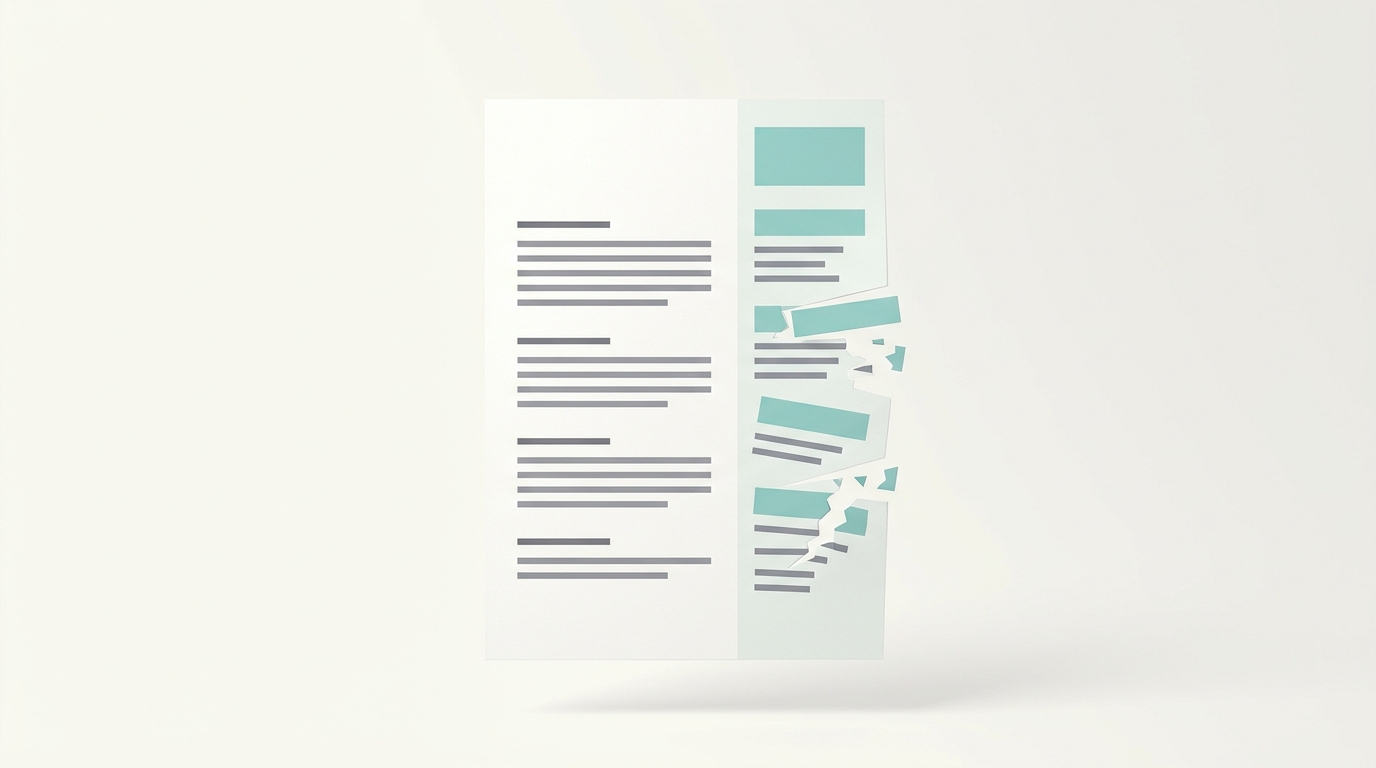
Most resumes are not rejected by a person. They are misread by software.
Before a recruiter ever sees your application, it usually passes through an applicant tracking system (ATS): the software that stores, sorts, and searches resumes. Most mid-sized and large employers use one, and nearly every Fortune 500 company does. The ATS does not press a big red reject button over a design choice. What actually happens is quieter and more damaging. If your formatting breaks how the software reads the page, your experience gets scrambled, filed under the wrong fields, or dropped entirely. A resume the parser cannot read well is a resume that rarely surfaces in a recruiter's search.
The good news: the fixes are simple, and none of them require a worse-looking resume. Here are the formatting mistakes that cause the most damage, and how to correct each one.
1. Two-column layouts
This is the big one. A two-column resume looks sharp to you. To many parsers, it reads like one scrambled paragraph.
A lot of systems still treat the page as a top-to-bottom stream of text. When you split the page into two columns, the parser can read straight across the divide, pulling your sidebar into the middle of your work history. Your skills end up wedged between two job descriptions. Your dates attach to the wrong role. The recruiter never sees the mess, because the visual version still looks fine. The software just scores the jumbled version it built.
Not every ATS mishandles columns, and modern systems are better than they used to be. But single-column is the lowest-risk choice, and it costs you nothing.
Fix: Use a single-column layout. Keep the same content and wording. Let it flow top to bottom.
2. Contact details in the header or footer
This mistake is well documented and easy to make. Many systems do not read the header and footer regions of a Word document. If your name, email, and phone number live only in the header, the ATS can store your application with a blank contact field.
You can be the strongest candidate in the stack and still never get the call, simply because the parser could not find your number.
Fix: Put your contact information in the main body, at the top of the first page. Plain text. Not a header, not a footer, not an icon.
3. Tables and text boxes
Tables and floating text boxes are a common way to line things up neatly. They are also a common way to make content disappear. Parsers frequently read the cells out of order, merge them incorrectly, or skip what is inside a text box entirely.
The risk is highest exactly where it hurts most. People love to put skills, dates, and contact details in tidy tables, and those are the things you most need the ATS to capture.
Fix: Lay out your resume with simple left-aligned text, real bullet points, and standard spacing. If something currently sits in a table or text box, move it into the normal body text.
4. Graphics, icons, and skill bars
An ATS reads text. It does not read text baked into an image, and it gains nothing from a logo, a headshot, or a progress bar that shows you at 90 percent JavaScript.
A purely decorative graphic off to the side usually will not break parsing on its own. The real problem is using graphics in place of words. A phone icon is not a phone number. A five-star rating is not the sentence "Led a team of eight." If the information exists only as a picture, the system treats it as nothing.
Fix: Say it in words. Replace skill bars with a plain skills list. Replace the icons next to your contact details with the actual text. Drop the photo.
5. Image-only PDFs
PDF versus Word is mostly a myth at this point. Most modern systems handle both a clean .docx and a text-based PDF just fine. The genuine danger is an image-only PDF: a file that is really just a picture of your resume.
These often come out of design tools, scanners, or an "export as image" option. When you open one, you cannot highlight or copy the text. Neither can the ATS. Many systems do not run character recognition on resumes, so an image-only PDF can land in the database essentially blank.
Fix: Save a text-based file. Export a PDF directly from Word or Google Docs, then open it and try to select the text. If you can highlight it, so can the software. A standard .docx is equally safe.
6. Decorative fonts and custom bullets
Unusual fonts and fancy bullets are a smaller risk, but an avoidable one. Downloaded or highly stylized fonts may not render on the ATS side, which can force a fallback and shift your layout. Custom bullets, arrows, and symbol characters can come through garbled or get dropped.
Fix: Use a standard font such as Arial, Calibri, Georgia, Helvetica, or Times New Roman. Use plain round or square bullet points. Save the personality for your cover letter and your work.
Myth versus reality
It is worth being honest about what an ATS does and does not do, because a lot of advice online is exaggerated.
- Reality: Most large employers use an ATS, and formatting that breaks parsing can make your resume effectively invisible.
- Myth: A two-column layout or a single graphic guarantees instant rejection. It does not. It raises the chance your information is misread, which is reason enough to keep things clean.
- Myth: PDFs are always bad. A text-based PDF is fine. Only image-only PDFs are the real problem.
The safest resume is a clean, single-column, text-based document. It also happens to be easier for a human to skim, which is the second test your resume has to pass.
Frequently asked questions
Does a two-column resume always get rejected?
No. Some systems handle columns well. But many read them out of order, so a single column is the safer choice with no real downside.
Is PDF or Word better for an ATS?
Both work if the file contains real, selectable text. Avoid image-only PDFs, which the software often cannot read at all.
How do I know if my resume is ATS-friendly?
Open your file and try to select and copy the text in reading order. If it copies cleanly and in the right sequence, the parser can likely read it too. ATS Boost checks this for you and flags the formatting issues above before you apply.
Telling whether your resume will survive the parser is hard to eyeball. ATS Boost scans your resume the way an applicant tracking system does, points out the formatting that trips it up, and helps you fix it. Try it free at atsboost.com.